Pinterest affiliate marketing sounds simple on paper. You pin some images, add a link, and wait for the money to come in. A lot of people start with that idea — and quit within a month because nothing happened.
The reality is slightly more nuanced. Pinterest can work really well for affiliate income, but only if you understand how the platform actually behaves. It’s not social media in the traditional sense. It’s closer to a search engine. And that changes everything about how you approach it.
This article covers what actually works, what doesn’t, and the mistakes beginners make that waste months of effort.
What Pinterest Affiliate Marketing Actually Means
Let’s be clear about what we’re talking about.
Affiliate marketing means you promote someone else’s product using a special link. When someone clicks your link and buys the product, you earn a small percentage of the sale. You don’t make the product. You don’t handle delivery. You just refer people.
Pinterest is a platform where people save visual content — called “pins” — to boards organized by topic. People browse Pinterest the same way they browse Google: searching for ideas, products, recipes, outfits, travel spots, and more.
Put those two together: you create pins that include your affiliate links. Someone on Pinterest searches for something, finds your pin, clicks the link, buys a product — and you earn a commission.
Simple concept. The execution is where it gets more specific.
Why Pinterest Works Differently Than Instagram or TikTok
Most beginners assume social media is social media. It’s not.
On Instagram or TikTok, your content lives for maybe 24 to 48 hours before it disappears from people’s feeds. On Pinterest, a pin you created two years ago can still bring traffic today. Pins don’t expire. They get re-saved, they show up in searches, and they compound over time.
One thing that surprised me when I first started paying attention to Pinterest traffic: old pins suddenly got clicks months after I posted them. Not because I did anything new — but because someone found them through search, re-saved them, and the algorithm picked them up again.
That’s the core difference. Pinterest rewards consistency over time, not viral moments.
Setting Up the Right Way
Get a Pinterest Business Account
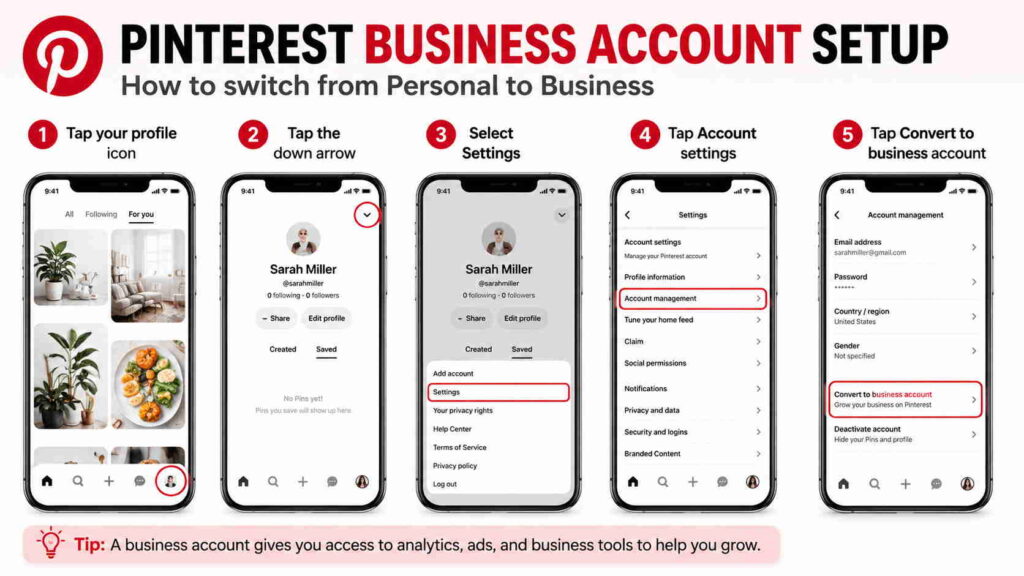
Personal accounts are fine for browsing. For affiliate marketing, switch to a business account. It’s free and takes about two minutes.
A business account gives you:
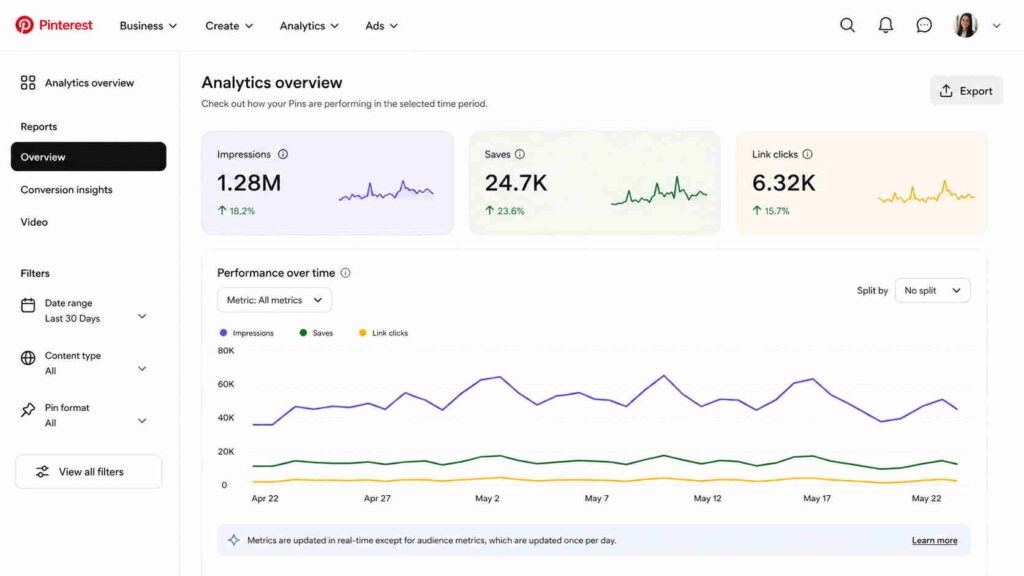
- Access to Pinterest Analytics (so you can see which pins get clicks)
- The ability to run ads if you want to later
- A more credible-looking profile
Don’t skip this step. Tracking your performance is how you figure out what’s actually working.
Choose a Niche That Makes Sense on Pinterest
Not every niche does well on Pinterest. The platform skews heavily toward:
- Home decor and interior design
- Food and recipes
- Fashion and outfits
- Travel
- DIY and crafts
- Personal finance (budgeting, saving money)
- Health and fitness
- Parenting
If your affiliate niche falls into one of these areas, good. If you’re trying to promote, say, B2B software, Pinterest is probably not the right platform.
The other thing to think about: your niche needs to have affiliate products worth promoting. Beauty products, kitchen gadgets, workout gear, budgeting apps, Amazon finds — these all have affiliate programs with decent commissions.
Set Up Your Boards Properly
Your Pinterest profile is made up of boards. Each board is a collection of pins on a specific topic.
Don’t create one board called “My Favorites” and throw everything in there. That doesn’t help anyone find your content.
Instead, create specific, searchable boards. Examples:
- “Small Living Room Ideas” (instead of “Home Decor”)
- “Easy 30-Minute Dinners” (instead of “Recipes”)
- “Budget Travel Tips for Europe” (instead of “Travel”)
Specific board names rank better in Pinterest search. Think about what someone would actually type into the search bar, and name your boards accordingly.
Fill each board with a mix of your own pins and other people’s pins (called re-pins). A board with 50 pins looks more credible than one with three.
Creating Pins That Actually Get Clicks
This is where most beginners spend the least time — and it’s where most of the outcome lives.
The Image Matters More Than the Link
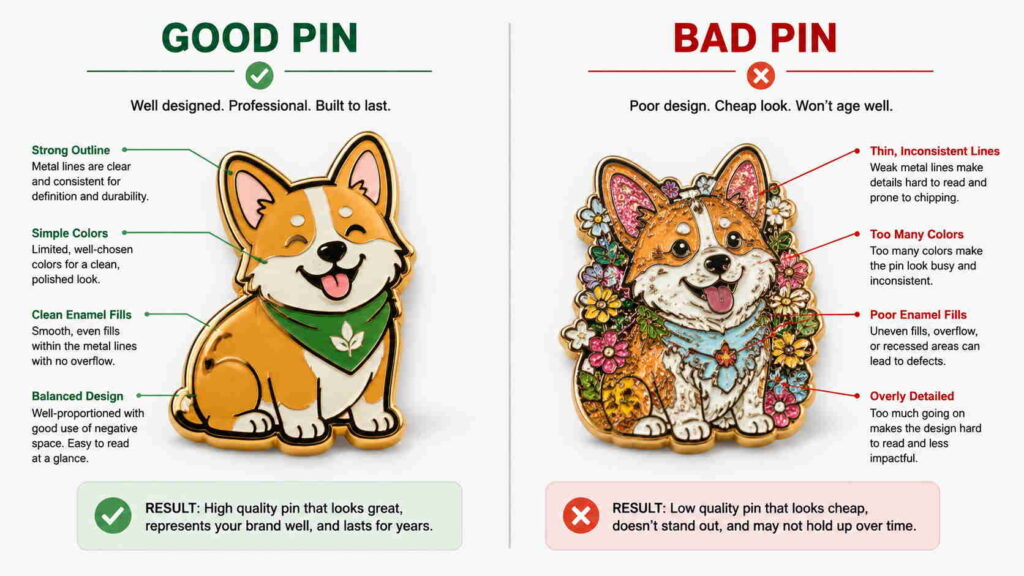
Pinterest is visual first. A badly designed image won’t get saved or clicked, no matter how good the product is.
What works for Pinterest images:
- Tall, vertical images (2:3 ratio, like 1000 x 1500 pixels) — they take up more space in the feed
- Clean text overlay — a short phrase that tells people what they’ll find if they click
- Bright or warm colors — they tend to perform better than dark backgrounds
- No clutter — one clear focal point is better than five competing elements
Tools like Canva have free Pinterest templates. Use them as a starting point. You don’t need to be a designer.
One mistake almost everyone makes early on: creating pins that look like ads. Stock-photo-with-logo style images get scrolled past. Pins that look like helpful content get saved.
Write a Real Pin Description
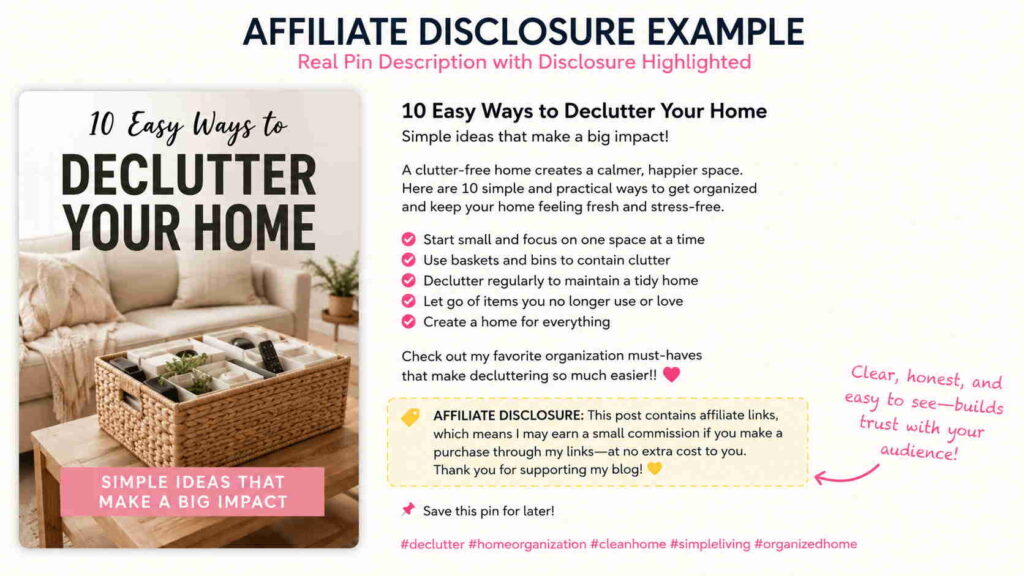
Every pin has a description field. Most beginners leave it blank or write two words. That’s wasted opportunity.
The description is indexed by Pinterest’s search algorithm. Write 2–4 sentences that describe what the pin is about, using words someone would actually search for.
Example:
❌ “Check out this product!”
✔ “These kitchen drawer organizers changed the way I use my space. They fit standard drawers, come in a few sizes, and the price is really reasonable. Linking to the exact ones I got.”
Which one sounds more helpful? Which one would make you want to click?
Add Your Affiliate Link Directly
On Pinterest, you can add a URL to each pin. This is where your affiliate link goes.
A few things to know:
- Pinterest does allow direct affiliate links on most programs (Amazon, ShareASale, etc.)
- Pinterest does not allow certain link shorteners (bit.ly and similar redirect services often get flagged)
- Always use the full affiliate URL or a whitelisted link format
Also: you must disclose that it’s an affiliate link. Add something like “affiliate link” or “#ad” in your pin description. This is not optional — it’s required by the FTC (the U.S. government body that regulates advertising). Pinterest also expects it. Skipping this can get your account flagged.
Blog or No Blog?
A lot of affiliate marketing guides say you must have a blog. That’s not strictly true for Pinterest.
Pinterest does work with direct affiliate links (pin → product page). You can earn commissions without a website.
That said, having a blog in the middle (pin → blog post → affiliate link) has real advantages:
- You can collect email subscribers
- You can add multiple affiliate links in one post
- You can rank in Google search too, not just Pinterest
- Your blog post adds context and trust before the click
The tradeoff is effort. A blog takes time to set up and write. Direct linking is faster to start but has a lower ceiling.
For complete beginners: start with direct affiliate links to understand what content works on Pinterest. Add a blog later once you know your niche is getting traction.
Which Affiliate Programs Work Well on Pinterest
Some programs are a natural fit. Others aren’t worth the effort because the commissions don’t justify the work.
| Program | Good For | Commission Range |
|---|---|---|
| Amazon Associates | Almost any physical product niche | 1–10% (varies by category) |
| ShareASale | Home, fashion, food, lifestyle brands | Varies widely |
| LTK (formerly LikeToKnowIt) | Fashion, beauty, home | Varies |
| Etsy Affiliate | Handmade goods, unique gifts | 4% |
| Rakuten Advertising | Wide range of brands | Varies |
| Impact | Tech, lifestyle, travel brands | Varies |
Amazon is the easiest starting point because almost anything you pin can link to something on Amazon. The commissions are lower than some programs, but the conversion rate is higher because people trust Amazon.
One honest note: Amazon commissions dropped significantly a few years ago. For some categories like furniture or electronics, the payout is 3% or less. At those rates, you need a lot of traffic to see meaningful income. High-ticket products or higher-commission programs pay better per sale.
How Long Before You See Results
Here’s the number one thing people get wrong about Pinterest: it takes time. A lot of time.
Most accounts take 3–6 months of consistent pinning before they see noticeable traffic. The first month or two often feels like nothing is happening at all.
I noticed my first real affiliate clicks after about 10 weeks of posting consistently — roughly 10–15 pins per week. Not every pin got clicks. Most didn’t. But a few started showing up in search results, getting re-saved, and slowly building views.
The accounts that give up at week four are leaving before the work starts paying off.
Set a realistic expectation: 6 months of consistent effort before judging whether it’s working. If you’re not willing to do that, Pinterest probably isn’t the right platform for you.
What Doesn’t Work (Common Mistakes)
Pinning everything to one board. Pinterest rewards specificity. A niche board ranks better than a catch-all one.
Using blurry or crowded images. The image is the first thing people see. If it doesn’t look appealing at thumbnail size, nobody clicks.
Ignoring the description field. That’s where Pinterest figures out what your pin is about. Blank descriptions hurt your reach.
Pinning 50 times one day and nothing for two weeks. Pinterest rewards regular activity over time. Space out your pins. Tools like Tailwind help schedule pins in advance.
Promoting products that don’t match your audience. Pinning kitchen gadgets to a travel board confuses the algorithm and your audience.
Not disclosing affiliate links. This isn’t just a rule — it’s a legal requirement. Always add a disclosure.
How Much Can You Actually Earn
Honest answer: it varies a lot.
Some people earn $100–$300 a month from Pinterest affiliate marketing as a side thing. Others build it up to $1,000–$5,000+ a month with a blog, a big account, and good SEO on both Pinterest and Google.
The income is rarely quick and never fully passive at the start. You have to put in consistent work for months before things start running more on autopilot.
What helps the most:
- A niche with high buyer intent (people who are ready to buy, not just browse)
- Pinning products with solid commissions (not $0.30 per sale)
- A blog that builds email subscribers for repeat traffic
- Good quality images that get re-saved
It’s not a get-rich-quick thing. Treat it like a slow-build side income project and the math starts working in your favor over time.
Conclusion
Pinterest affiliate marketing works, but it works differently than most people expect. It’s a search platform, not a social one. Pins last for years, not hours. And results take months, not days.
The people who succeed with it are the ones who pick a clear niche, create useful visual content consistently, and stick around long enough for the compounding to kick in.
Start with a business account, pick one niche, create boards with specific names, and begin pinning — with proper descriptions, real affiliate links, and disclosures. Track what gets clicks and do more of that. That’s the whole strategy.
FAQ
Q: Do I need a website to do Pinterest affiliate marketing?
No, you can link directly to affiliate products from your pins. But having a blog in between gives you more earning options and a way to build an audience that comes back./p>
Q: Does Pinterest allow affiliate links?
Yes, Pinterest allows affiliate links from most major programs. Just avoid link shorteners and always disclose that it’s an affiliate link in your pin description.
Q: How many pins should I post per day?
Most advice suggests 5–15 pins per day for growth. Quality matters more than quantity. Ten well-designed pins with good descriptions beat fifty rushed ones.
Q: What’s the best affiliate program to start with on Pinterest?
Amazon Associates is the easiest starting point because you can link to products in almost any niche. For higher commissions, look at ShareASale or Impact once you know which products your audience clicks on.
Q: How do I know if my pins are working?
Pinterest Analytics (available with a business account) shows how many impressions, saves, and link clicks each pin gets. Focus on link clicks — that’s what drives affiliate income.





1 thought on “How Pinterest Affiliate Marketing Actually Works for Beginners”